Sell Me This Pen: It's AI-Powered
A tale of unf*cking the Asus GT-BE19000AI

And apparently, so is Asus’s new GT-BE19000AI router. We’re here because this is so stupid I got one to just see if it could be made useful. I wrote this as I dug through the bugs Asus shipped with it, one fix at a time. TL;DR: enabling USB SSDs + Docker.
WHY? WHY DO WE NEED AI IN A ROUTER? Spoiler: We don’t. But now that it’s here like most of the subpar use cases for AI/ML being shoved down everyone’s throat…
This abomination has two SoCs. The first is a 4-core 2.6GHz Broadcom BCM4916 and this does what you’d expect a router to do. The second is …a Synaptics SL1680 with 4GB RAM, 32GB EMMC, and a 7.9 TOPS Neural Processing Unit. Hilariously enough, Asus put an embedding model on it with HF and python behind the scenes for fully local “LM” setup assistance. This was neat in that they didn’t use a transformer LM at all (SL1680s ASICs are CNN-optimized), but it worked. Here’s where stuff gets weird:
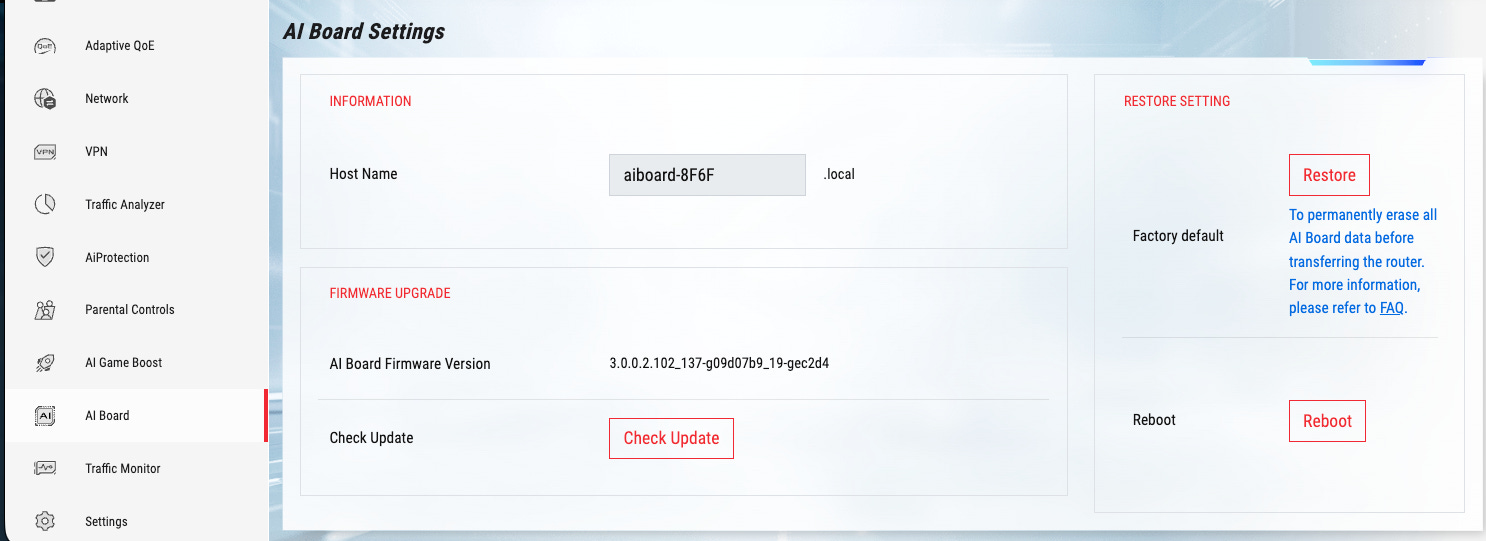
The secondary SoC is …updated by the primary SoC that’s also the admin network interface? Naturally, the first question is: how are these things connected? As I’m digging around these menus, in Settings → Administration → System …enable SSH:
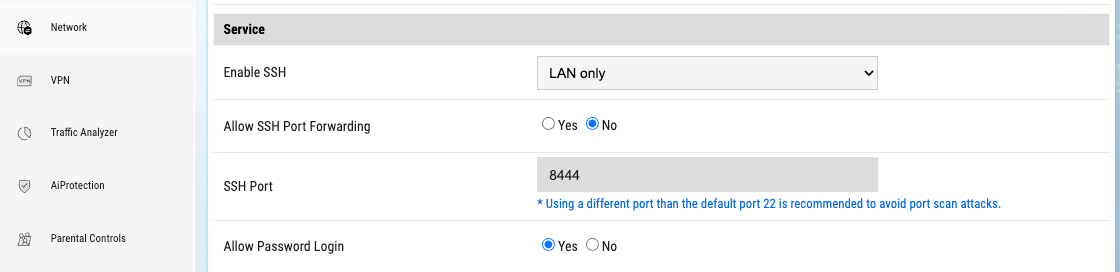
Three minutes later…
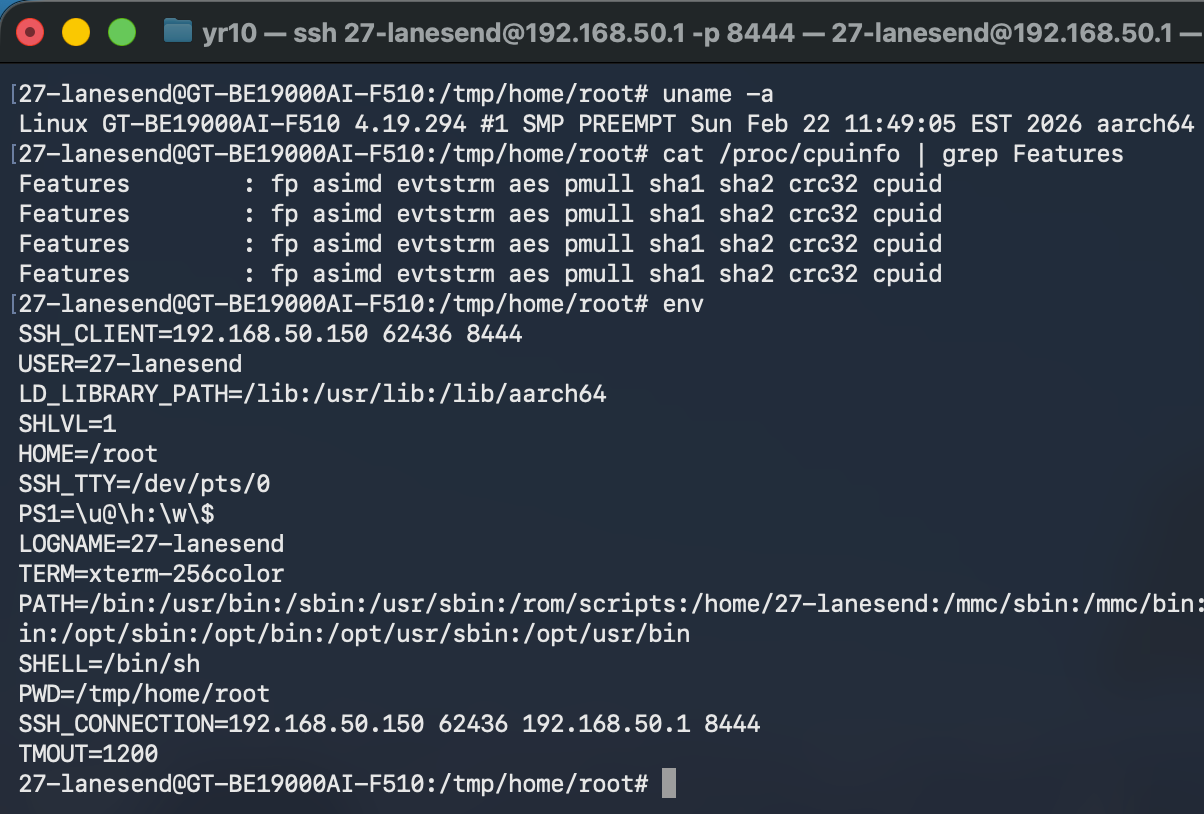
Ok, so this is definitely the primary Broadcom SOC (aes, crc32). Why isn’t it updating?
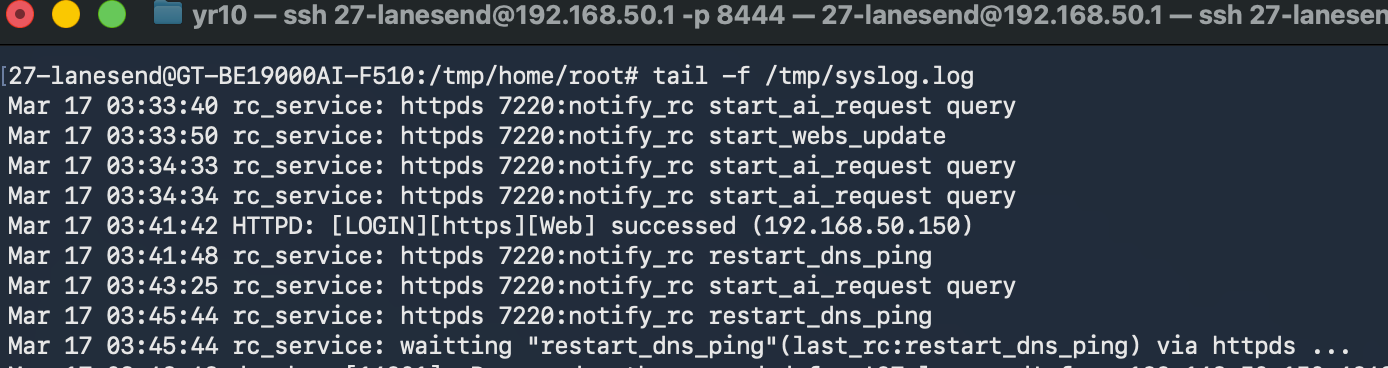
^ That’s what’s in the syslog when the Web UI is busy failing at life. So …what’s rc?
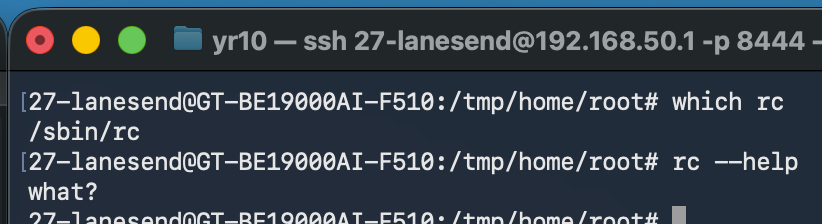
“What?” indeed. Let’s heed this cue and try infil from the other SoC’s side. A few minutes of digging around later, I found the main reason I got this thing: the secondary SoC can run docker containers via Portainer under “AI Board”.
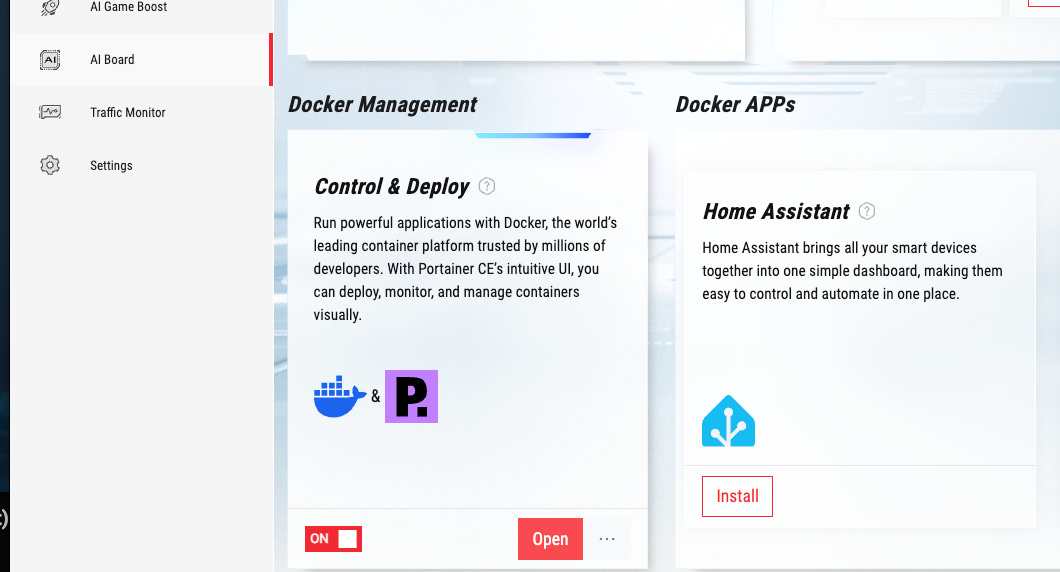
Cool, let’s install that and open it up:
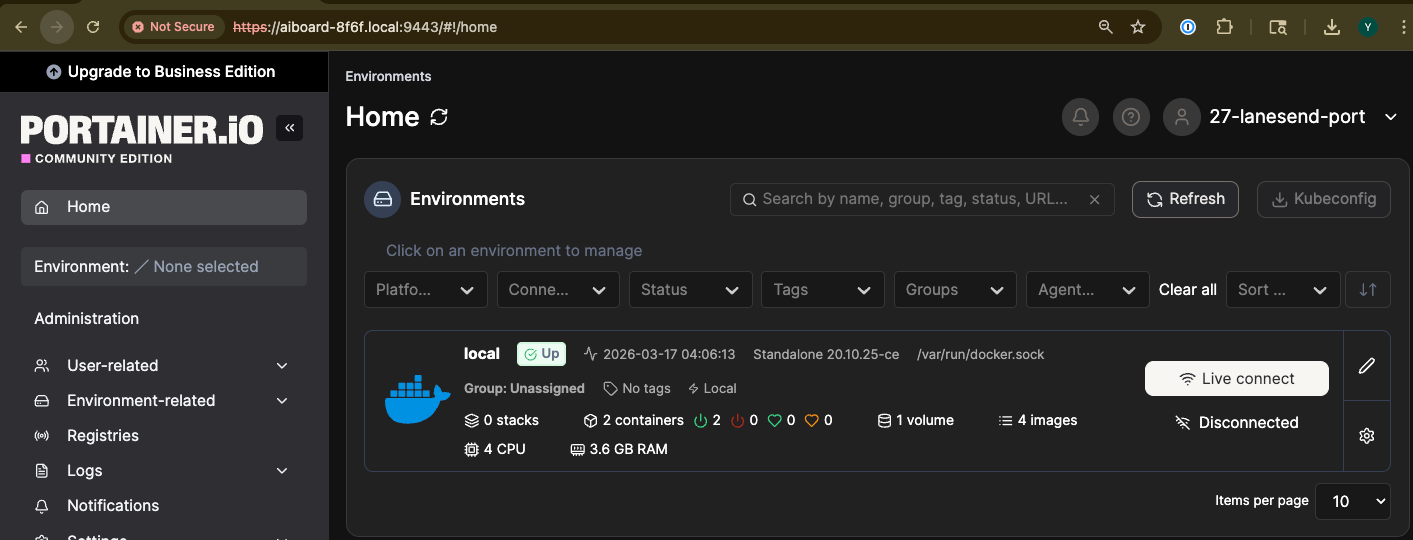
Literally not even a minute later …Asus dun goofed:
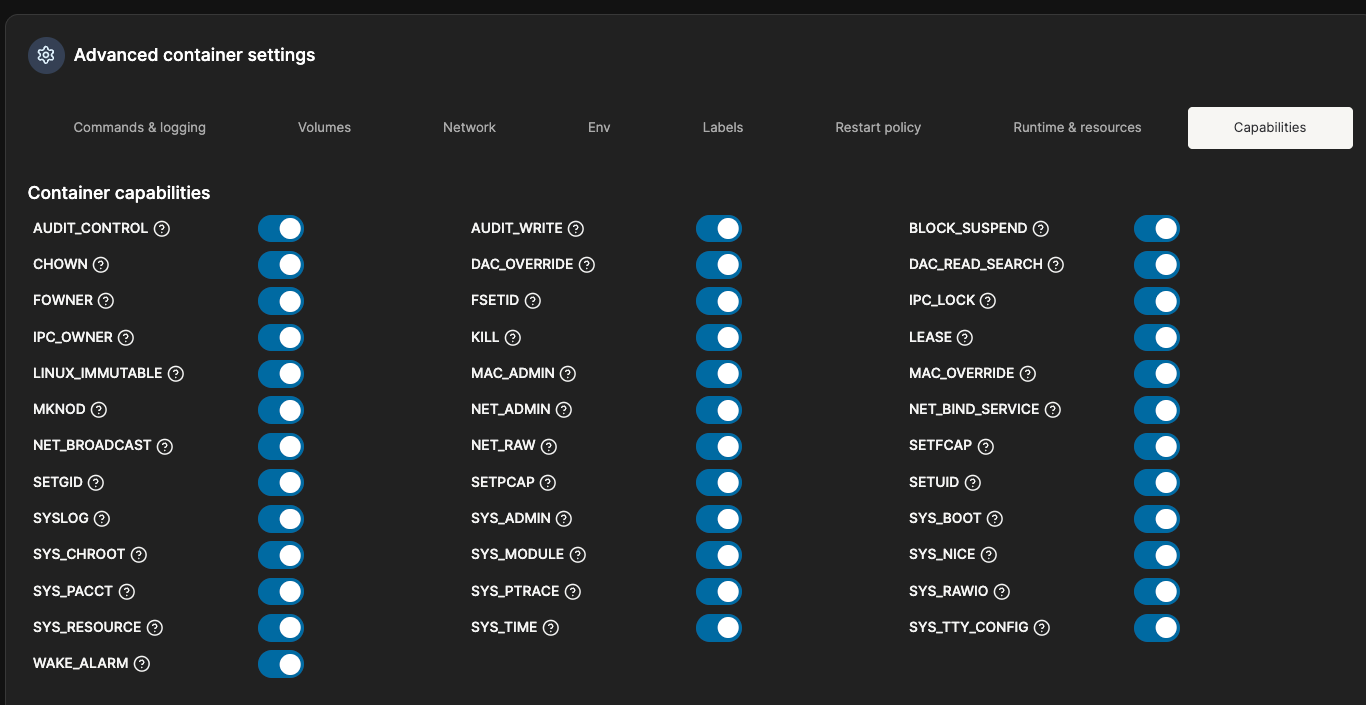
Aight, bet. Basic privilege hijacking 101: run root, priv, host net, and elevated mounts:
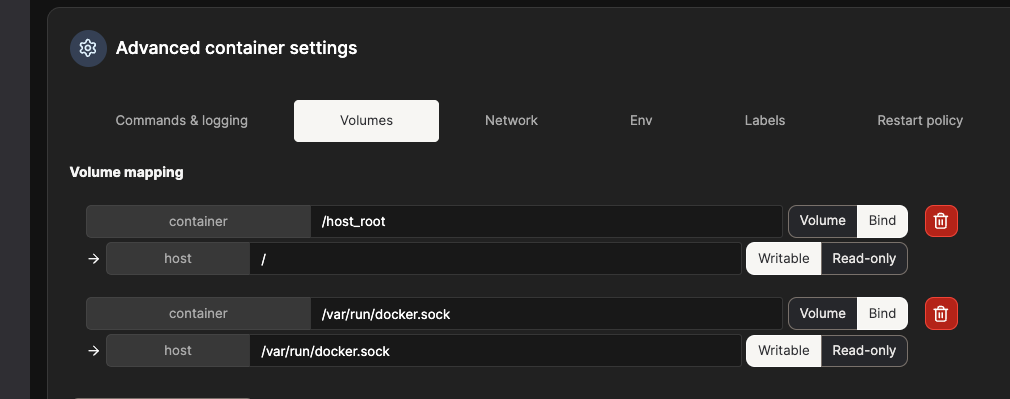
And SSH in via the Portainer UI. And just like that, boom, we’ve got host OS root:
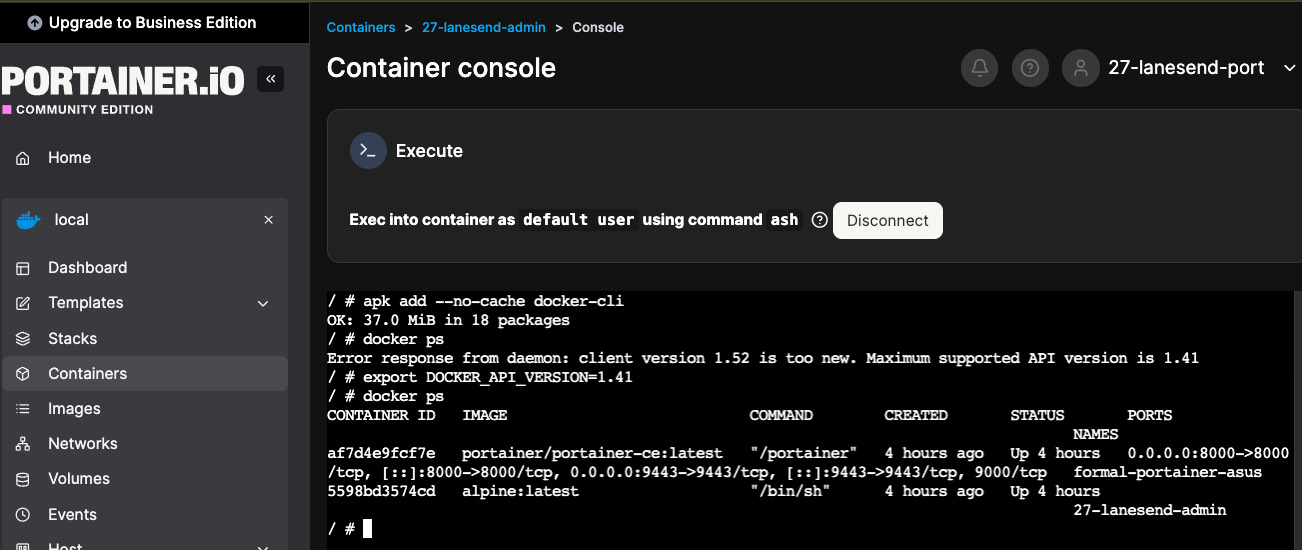
ls /host_root
chroot /host_root /bin/sh
ls /usr/bin
cat /usr/bin/fwupdate
Here, we find that there is definitely some kind of IPC bridge between the two:
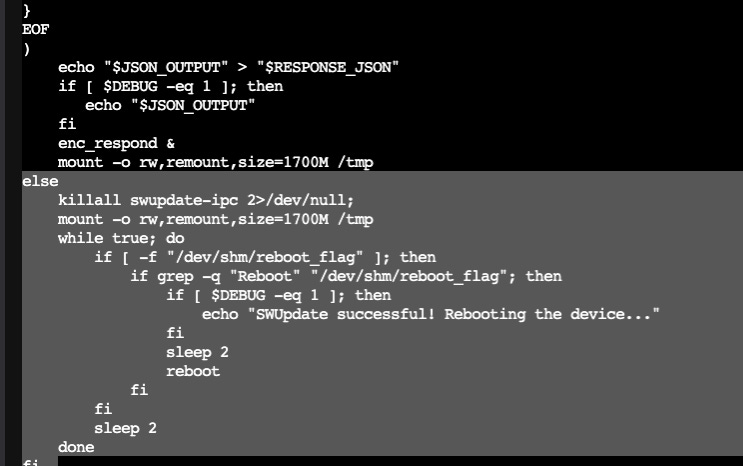
This thing is remotely triggered by the host SOC, and monitored via IPC. Like this:
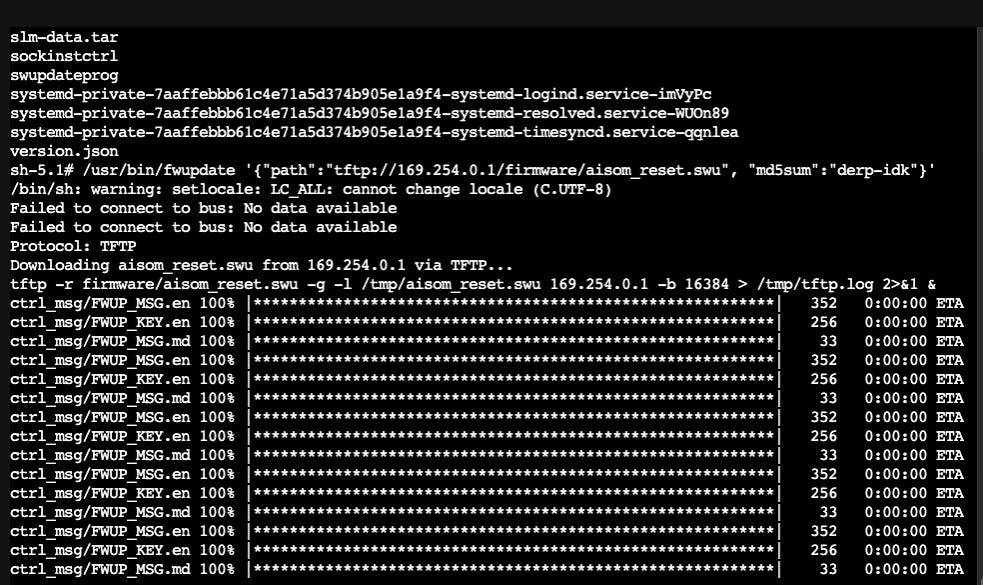
What. The. Actual. Fuqq? Yep, that’s the other SoC:
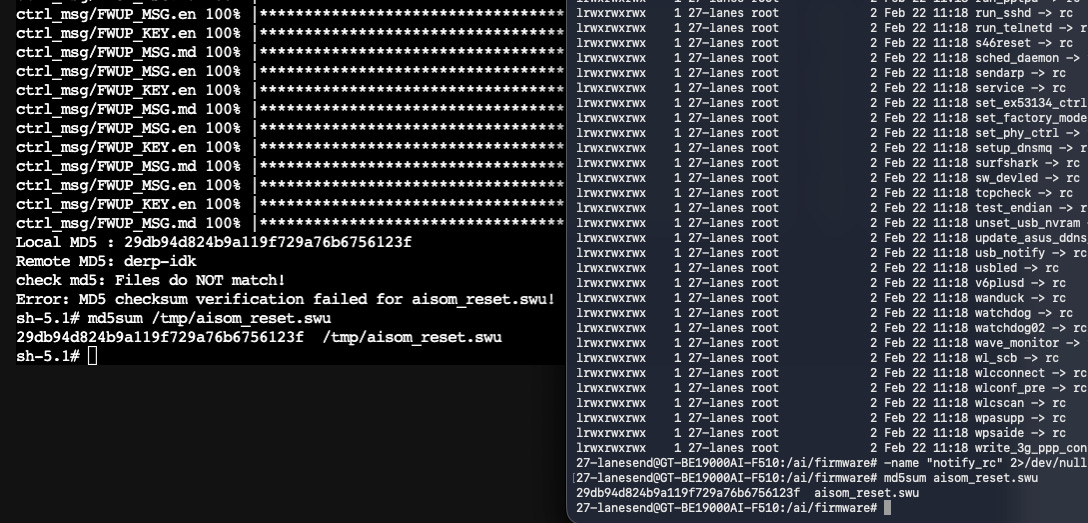
We fix the checksum, pull the firmware, update the “AI Board” from within, and follow that up with an RPC trigger from the primary SoC (that weird script up above looped into standby until we wrote to /dev/shm/reboot_flag) on the secondary SoC. Web UI:
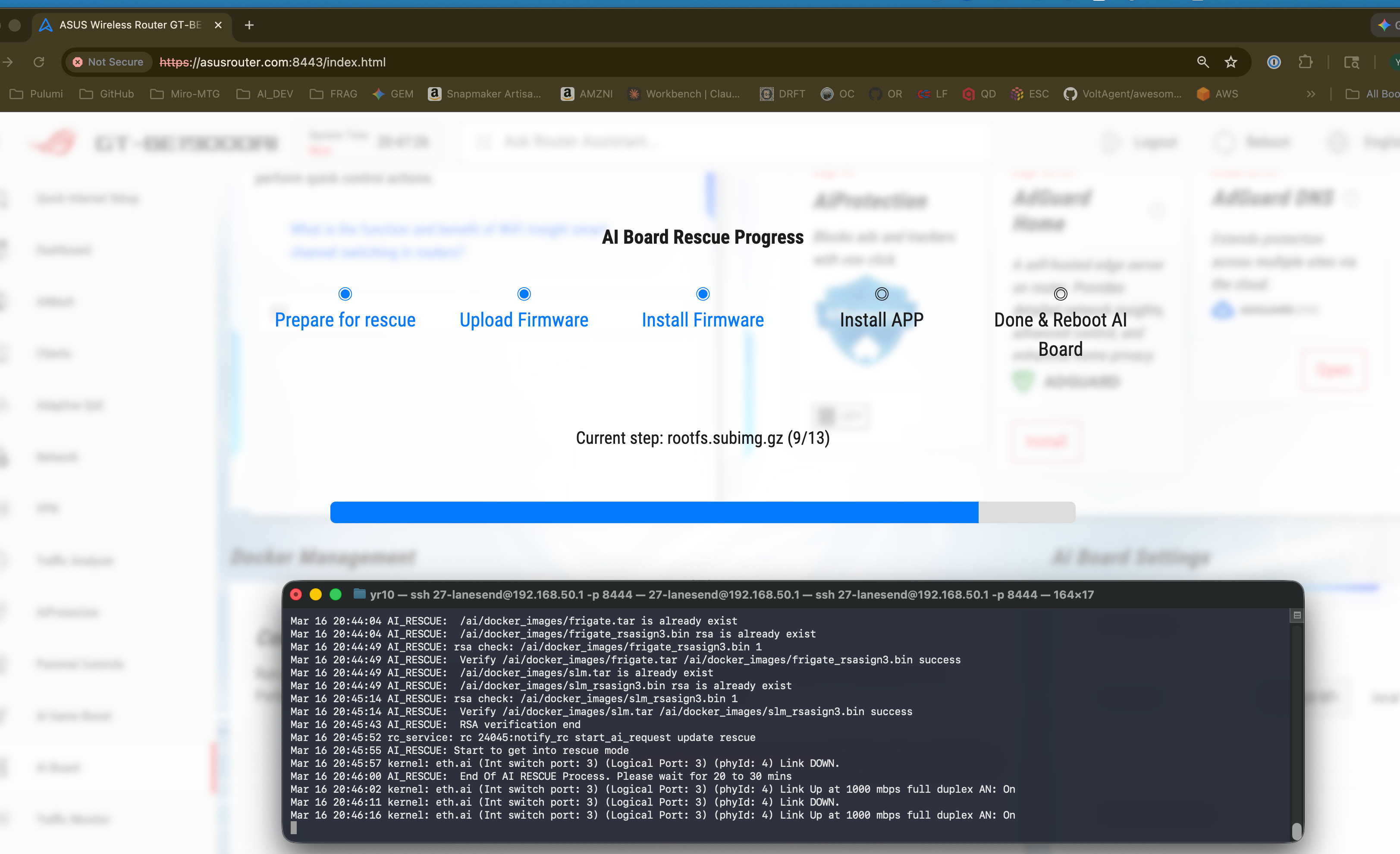
It’s not exactly a rescue …or is it? Yep, we can update the firmware on the secondary SoC by triggering factory reset with a new recovery image. It’s written to isolated dual-boot partitions so what’s on the primary EMMC also survives this, uh, “recovery” 🤡.
Surely now I can spin up the containers I want and mount my USB dri— NOPE. The secondary SoC, the one with docker on it, can’t even access the USB ports. 🤦♂️
Let’s fix that. Question is, how? Asus managed to strip fuse/samba kernels out of the secondary SoC, and NFS kernels out of the primary. This was likely intentional …but that 700MB+ firmware file downloaded FAAAST. Way too fast for RS232 or anything of the sort. Some iptable and ndig later, we find that the secondary SoC has a local loopback (169.254* namespace) to the primary. Where there’s a will, there’s a way:
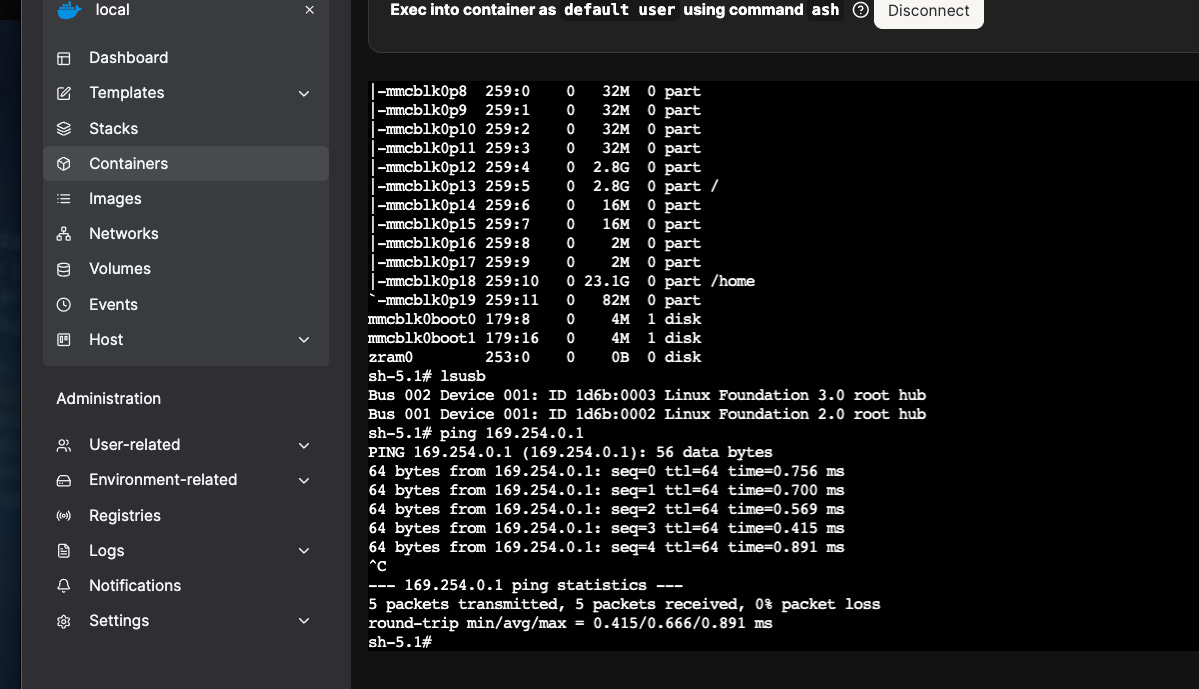
Ok, we have a viable pipe. Luckily, there was a BE19000 Merlin release 2 weeks ago so I didn’t have to splice cdc_acm, cp210x, and god knows what other kernels into it.
Entware it is, I suppose. Nuke a drive, format ext 4 + journal + bin, install it. AsusWRT is locked down with a read-only file system …so we’ll just bind-mount on top of it 😂
Note: Substack blocked me posting this as a code snippet - I literally couldn’t save or publish the draft. I’m guessing they think we boutta do bad thangz. They’re right.
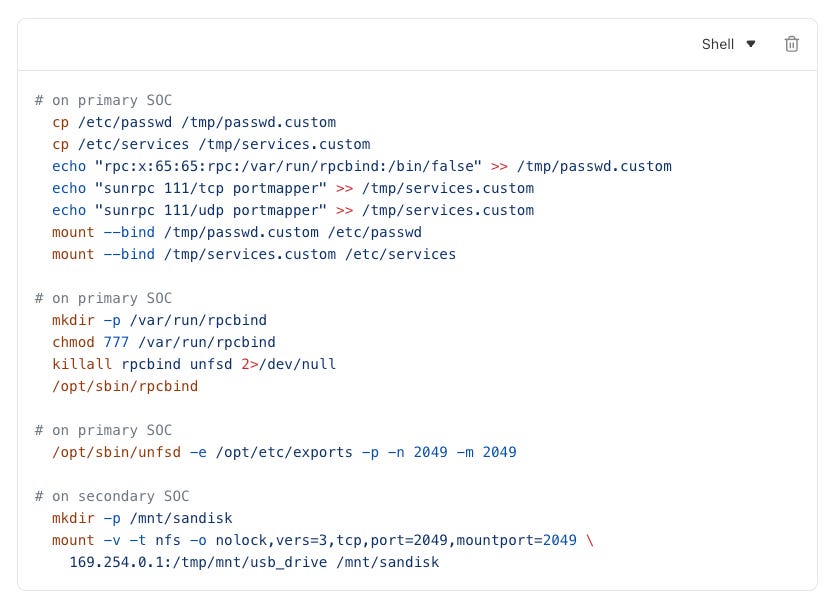
Boom! Our secondary SOC can now mount USB SSDs to Docker at native speeds:
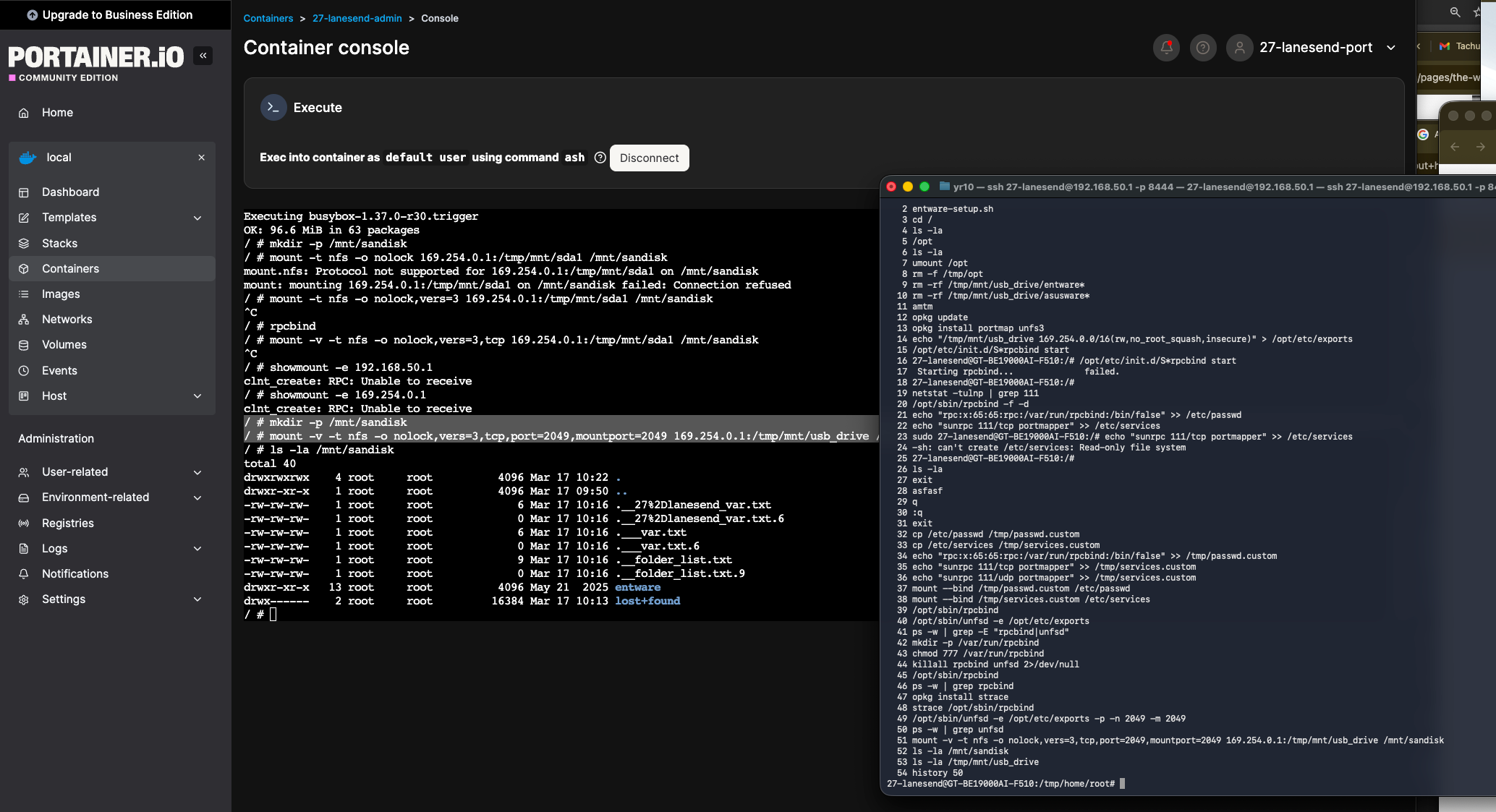
And wollah, the router is jailbroken. You can bypass RSA checks on the “factory reset” script and write whatever you want to the secondary SoC’s OS partitions while bind-mounting over the primary SoC’s FS. The best part? both SoCs can use the USB3.2 SSDs simultaneously. So why did I do this (outside of the fact that this is what I do)?
Attach a 4TB SSD on here and run Plex. On your router. With zero other hardware.
Your router is now also your local security camera recorder and viewer.
#2 lets you start using the SL1680 SoC for things it can be useful for, like running real-time local object detection and classification with Frigate - no more sending your home’s camera footage to Google Home, Amazon, or god knows who else.
You’re in charge of your data, it doesn’t leave your house. I plan to build on top of this with a PoE-based whole house automation system. 4GB RAM and 4 cores is more than enough to run hundreds of IoT devices, Home Assistant, HomeKit, etc.
From here, you can socat one of the ports to make USB devices accessible to the SoC running docker containers. That means we can plug in a hub and get:
6000ft+ range on ZigBee, ZigBee2MQTT with the SMLIGHT-SLZB-MR1.
Full home RF spectrum remote coverage with the Bond Bridge Pro.
Full home Z-Wave and ZWLR coverage with the HAC ZWA-2.
And bridge that mesh to also control Bluetooth with Shelly Gen4s.
That even covers Matter/Thread protocol, giving you everything you need to build a pleasant and convenient home that makes your life easy with just a router (which you need anyways) and some thingies plugged into it along with a tiny 400-500W UPS. No bulky servers. That $900 price tag, for a router, is partially justifiable …maybe.
Final verdict: Now that it’s fixed I actually quite like this thing, and it’s not necessarily because of the tech. This lets me create automation that makes my life easier and is reasonably transferrable to renters or buyers - I’d just be handing off a secure local enclave in the form of a house with really good, albeit minimal, networking equipment.
Bonus: Updating Portainer
Is a bit tricky (not really, not if you do DevOps) because Portainer is what’s running the admin container that lets us SSH into the host. As always, it’s good practice to keep our admin container stateless and ephemeral (like all containers). Steps:
Log into router Web UI → AI Board → Control & Deploy → Open
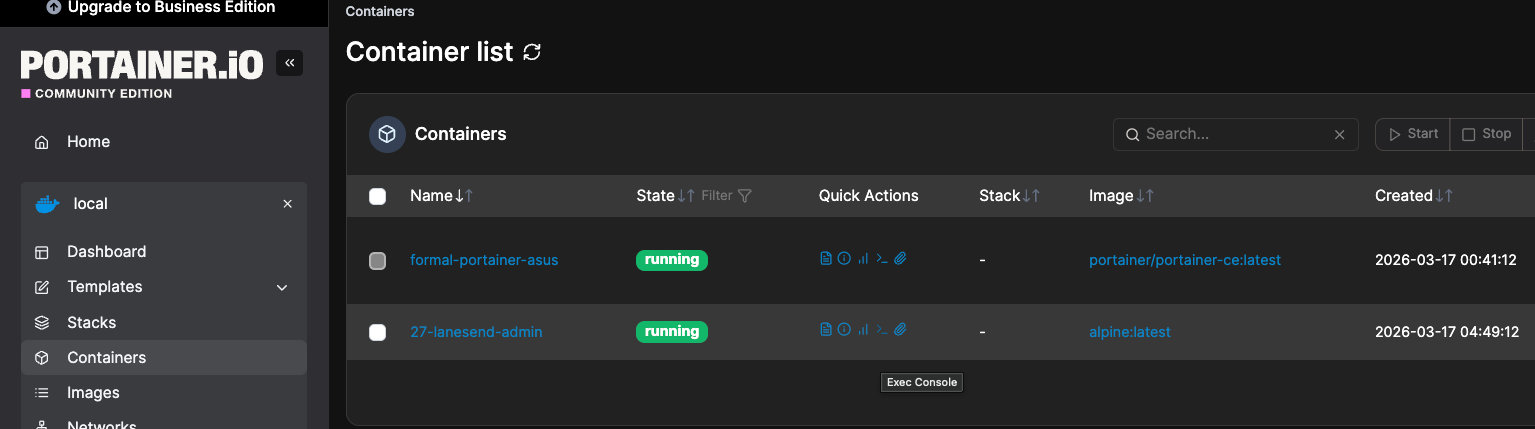
click “>_” sign to open a web SSH session in the jailbreak container via /bin/ash:
Here’s a summary of how many things I’ve seen go sideways over 15 years of DevOps:
# Run this inside your Alpine admin container via the Portainer web console
apk update && apk add docker-cli
export DOCKER_API_VERSION="1.41"
docker ps # Sanity check

# Pick a tag here (never use latest): https://hub.docker.com/r/portainer/portainer-ce/tags
export PORTAINER_TAG="portainer/portainer-ce:2.39.0"
export PORTAINER_NAME="$(docker ps --format '{{.Names}}|{{.Image}}' | grep "portainer" | cut -d '|' -f 1)"
export PORTAINER_MOUNT="$(docker inspect $PORTAINER_NAME -f '{{ range .Mounts }}{{ if eq .Destination "/data" }}{{ .Name }}:{{ .Destination }}{{ end }}{{ end }}')"
export PORTAINER_EXPOSE="$(docker inspect $PORTAINER_NAME --format '{{json .Config.ExposedPorts}}' | grep -oE '[0-9]+' | awk '{print "-p "$1":"$1}' | xargs)"
export DOCKER_SOCKET="$(docker context inspect $(docker context show) --format '{{.Endpoints.docker.Host}}' | sed 's|unix://||' | awk '{print $1":"$1}')"

# Confirm things look right
cat << EOF
Container: $PORTAINER_NAME
New Tag: $PORTAINER_TAG
Mount: $PORTAINER_MOUNT
Ports: $PORTAINER_EXPOSE
Socket: $DOCKER_SOCKET
EOF

# Once again, weird things happen on SOCs. You should see "Image pulled successfully"
docker pull "$PORTAINER_TAG" && docker image ls | grep -q "$PORTAINER_TAG" && echo "Image pulled successfully."

# Update portainer
docker run -d --rm \
  -v $DOCKER_SOCKET \
  alpine:latest \
  sh -c "apk add --no-cache docker-cli && export DOCKER_API_VERSION=$DOCKER_API_VERSION && sleep 15 && docker stop $PORTAINER_NAME && docker rm $PORTAINER_NAME && docker run -d $PORTAINER_EXPOSE --name $PORTAINER_NAME --restart=always -v $DOCKER_SOCKET -v $PORTAINER_MOUNT $PORTAINER_TAG"
After update (might take 1-3 minutes, that’s normal), go back to admin container and:
# Space is precious here (we haven't installed an SSD yet) so do cleanup:
docker system prune -f

# This nukes *ALL* images that aren't attached to a running container. Should be OK:
docker image prune -a -f

# Don't touch volumes for now. That's gonna come in a later article for home automation.
Next up, we’ll learn how to:
Permanently mount a 1TB WD NVMe SSD with a trendy matching enclosure.
Then we’ll start connecting the secondary SOC to IoT frequencies/networks.
Find out what, if any, useful embedded models we can run. We will train a tiny RL model to balance a home’s twin HVAC system (one on each floor) including gable vents, blowoff, UV control, humidifier and dehumidifier cycling. I wonder if I can get efficiency and comfort by using occupancy sensors and tracking sun position.
Disclaimer: Amazon affiliate links - consider using them if this was valuable to you.