
Dev From Scratch: 7/n
Effective AI-assisted development using only local resources

Chapter 7 of “development from scratch”, where we build a competitive and highly effective AI-assisted coding environment using only local models and resources.
In this chapter we take a detour due to the large amount of feedback I got from folks that have a 5000 series (not a 5090) and want codebase indexing but not inference.
Link to previous chapter | Link to next chapter | Link to companion GitHub repo.
Getting Started
This setup is runnable on most Blackwell GPUs, including laptops. The defaults are 100% stable on 16GB+ VRAM. 8GB is a no-go but if you’re at 12GB just add lower:
MAX_CLIENT_BATCH_SIZEMAX_BATCH_TOKENS
To the ./codebase-indexing/.env file generated in the steps below.
I set aside a few hours to polish up the containers and do a better implementation of Jina AI’s listwise re-ranker architecture in the manager. Hardcoded, filthy, but it works!
# Pull down latest repo version
git fetch --all && git pull

# Download the larger 1.5B code embedding model
hf download jinaai/jina-code-embeddings-1.5b

# Navigate from repo root to ./codebase-indexing
cd codebase-indexing

# Delete the previous .env file for regeneration
rm .env

# Run setup with a non-default (for us) embedding model
EMBEDDING_MODEL="model/jinaai/jina-code-embeddings-1.5b" ./setup.sh

# Start the new containers
docker compose --profile dedicated-codebase-indexing up
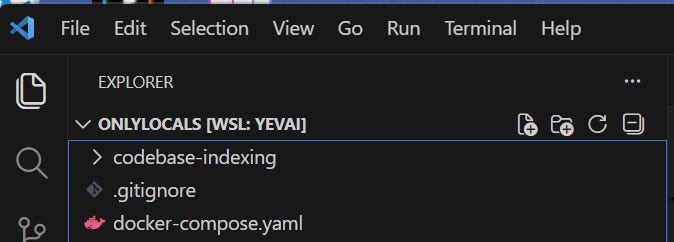
Going forward in this series, we’ll be using the Roo Code Nightly build. Download and install it, making sure to delete the existing main release branch. Make sure that you have the repo root open in VS Code before proceeding to the rest of the article:
Your new Roo Code indexing settings (database-looking icon in the bottom right) are:
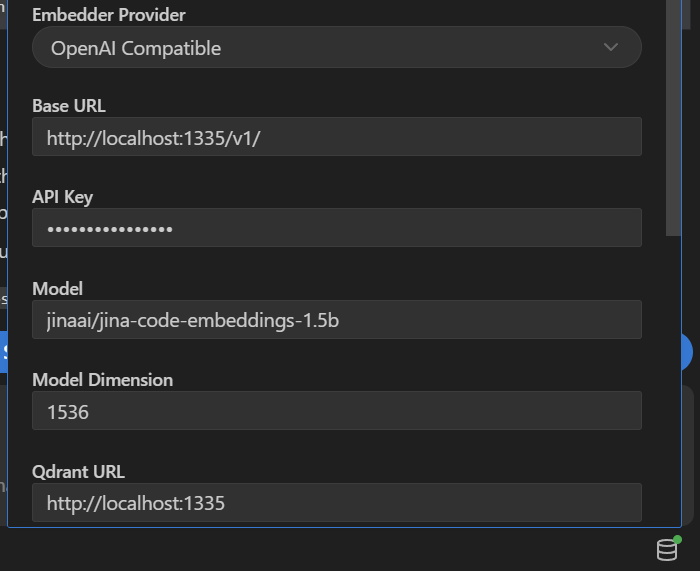
Uncheck indexing, click save, then re-check it, click save, and click Start Indexing.
Direct Test
# In ./codebase-indexing, launch the tester:
chmod +x qdrant.sh
./qdrant.sh
Select the proper collection (should be index 0). Select a number of results (5-15 works best). When you’re at “Enter search query (or quit or exit):“, try these out:
“Where do we configure the runtime between Node, Deno, and Bun?” should return exactly what you’re expecting to be there, with scores around 0.55 to 0.75.
“Where is the runtime-agnostic script shell entry point and setup?”: works.
FS liveliness check: “Where are LRU caches and API proxies implemented?”
If this doesn’t return results from
manager.pyopen the file, add a space, and save it. Retry the query and you should see it now. Your FS listeners are funky.
Let’s Blow It Up
We are going to be intentionally dealing with a 2-3GB+ (compressed) Qdrant vector database so fully expect VS Code to crash several times during this indexing process:

Wait for the indexer to finish between each git clone command. Seeing some batch size and concurrency errors is perfectly normal - Roo Code retries these automatically.
# Run in project root - NOT ./codebase-indexing

git clone https://github.com/RooCodeInc/Roo-Code
git clone https://github.com/langchain-ai/langchain
git clone https://github.com/langchain-ai/langgraph
git clone https://github.com/langfuse/langfuse
git clone https://github.com/n8n-io/n8n
git clone https://github.com/pytorch/pytorch
git clone https://github.com/vllm-project/vllm

# And in case any normal people are reading this...
git clone https://github.com/vercel/next.js
Note: I used my daily driver .rooignore template; consider adopting it for your own use.
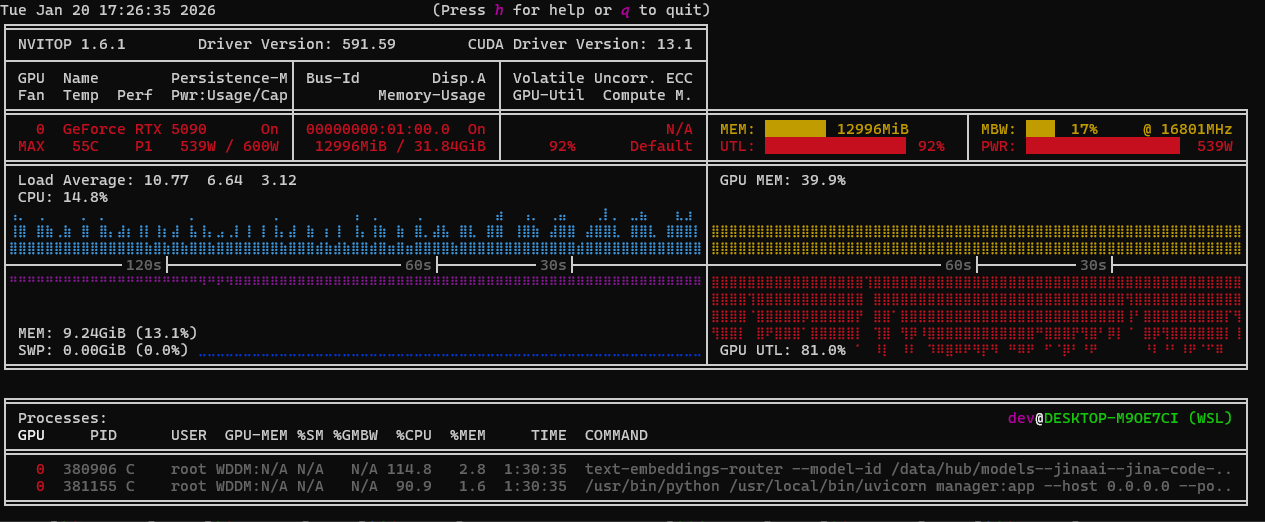
If you open nvitop you will see 95%+ spikes pulling 550W+. This means the code and optimizations are pipelining efficiently enough to bandwidth cap the GPU (good):
There is a practical reason for why we just did this. Context7 is nice but it’s also slow, remote, and has rate caps. You can use this approach with additional .rooignore magic to maintain a robust and up-to-date index of the tools / libraries your code uses.
Once the indexing is done go to your local Qdrant dashboard:
Trial By Fire
Open up Roo Code Nightly with a smaller model like haiku 4.5 or gemini 3 flash so the model itself can’t brute-force despite a poor environment, close all open files because they’re sent in the context and can skew our checks, switch to “Ask” mode, and try:
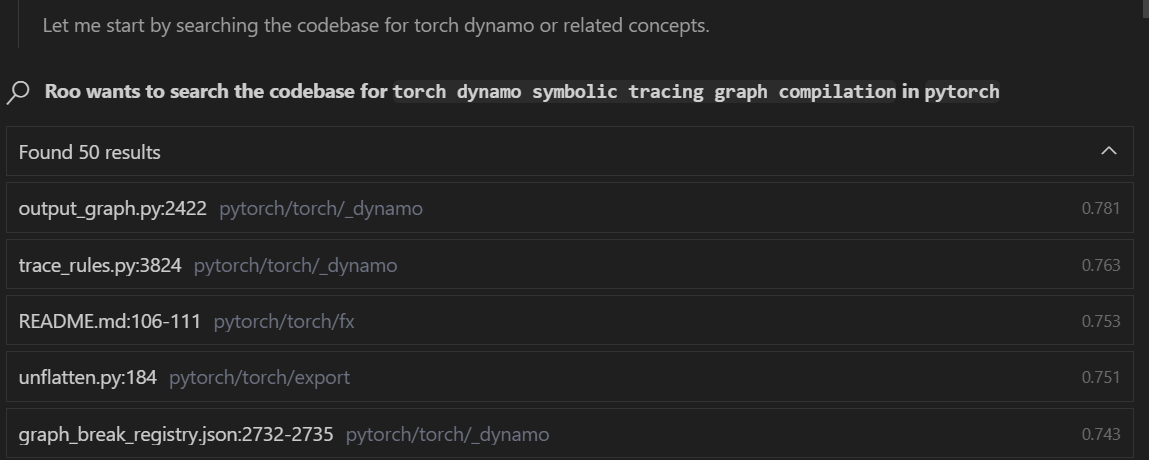
“How does the torch dynamo symbolic tracing graph compilation work in this project?”
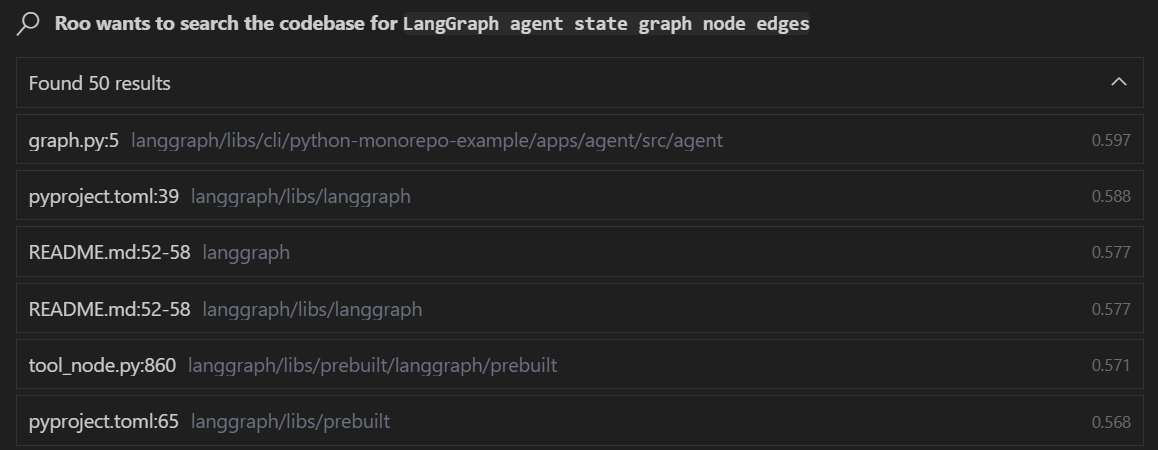
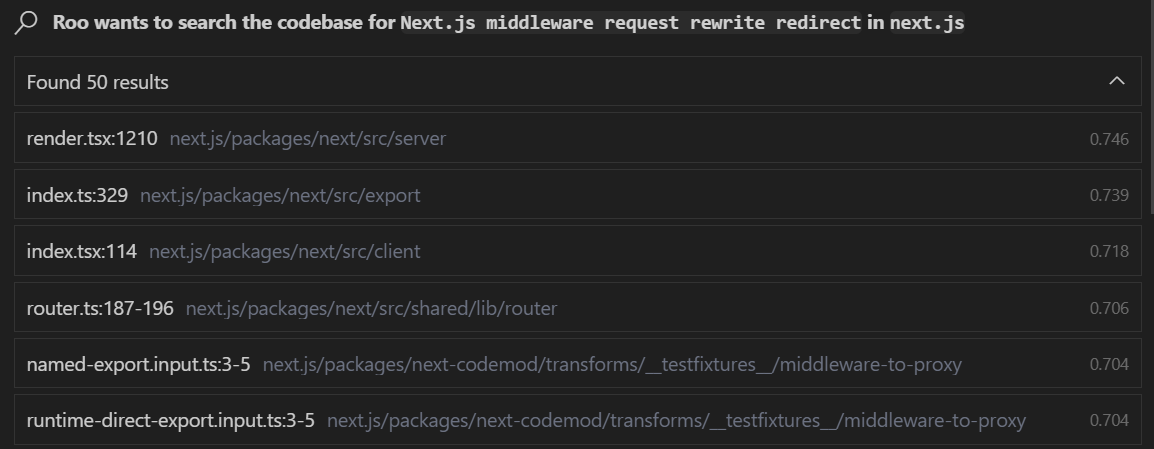
At some point in the task, you’ll see embedding searches that look like this (it’s a hit):
Next task: “Tell me about the LangGraph agent state graph node edges in this project.”
Next up: “How does the Next.js middleware request rewrite redirect work in this project?”
I encourage you to compare the code search quality of this setup and custom proxy against what you get out of the box with Visual Studio Code, Cursor, and Windsurf.
Next Up
Given the pivot we’re taking, now that we have high quality codebase indexing and embedding search, the next logical step is to get under the hood and see exactly what these LM code assist tools are actually sending to the model and how to improve it.
We’ll be doing that with a LiteLLM (which we’ll use for many other things) proxy:
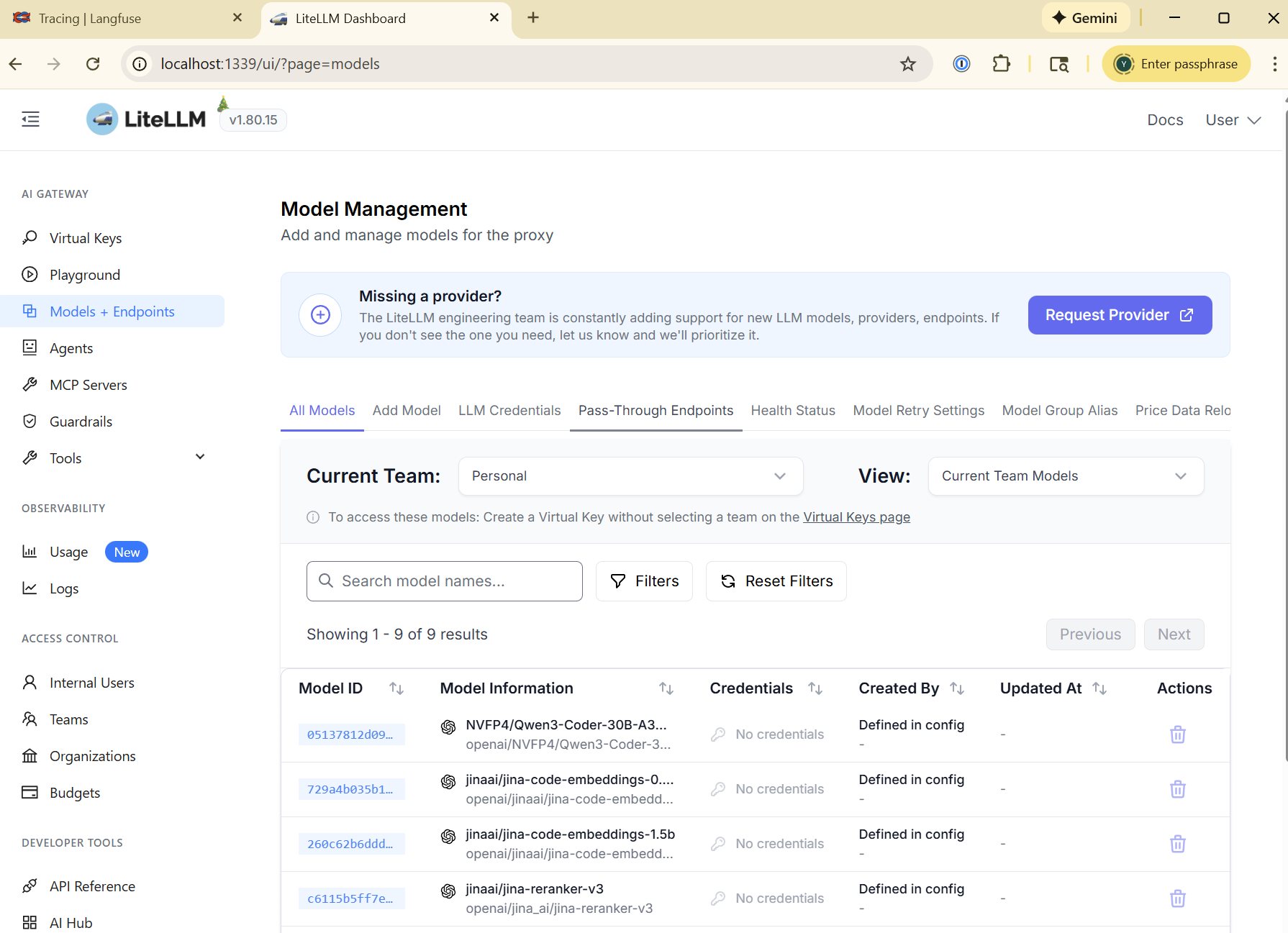
That ties our IDEs and LM code assist tools into LangFuse’s tracing and observability:
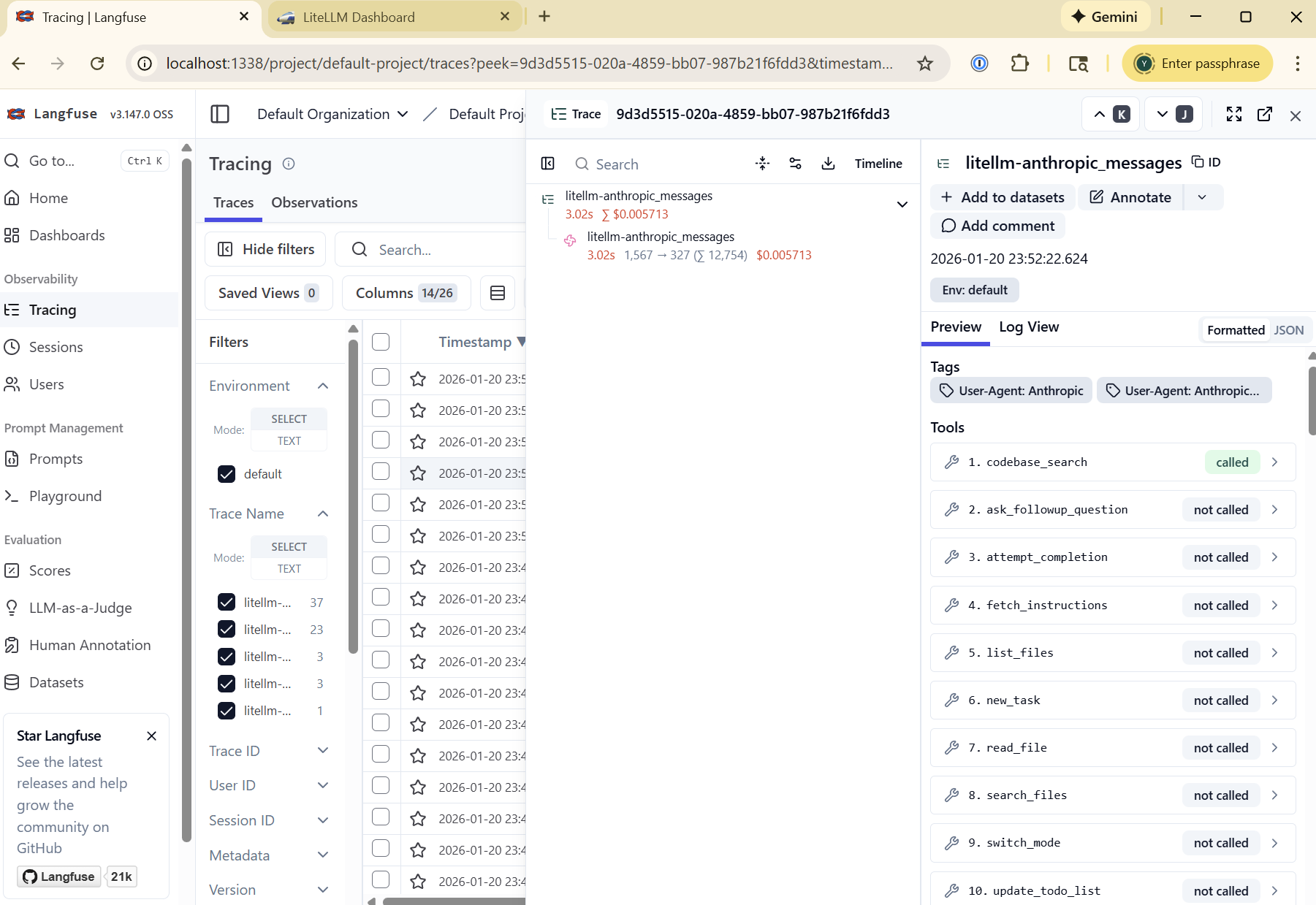
We will cover how to create a data set and use it with LLM-as-a-judge auto-evals to profile and improve Roo Code performance for your specific workflow and codebase.
If you’d like to jump ahead, I made a docker-compose that includes both.