
Dev From Scratch: 5/n
Effective AI-assisted development using only local resources

Chapter 5 of “development from scratch”, where we build a competitive and highly effective AI-assisted coding environment using only local models and resources.
In previous chapters, we set up local inference. Today, we tackle one of the primary hurdles of LLM-assisted coding: context. Most RAG setups fail because they are too eager. They flood the context window with "kinda relevant". Let’s go ahead & fix that.
Link to previous chapter | Link to next chapter | Link to companion GitHub repo
This setup passes CoIR, the de-facto benchmark for these things, with flying colors.
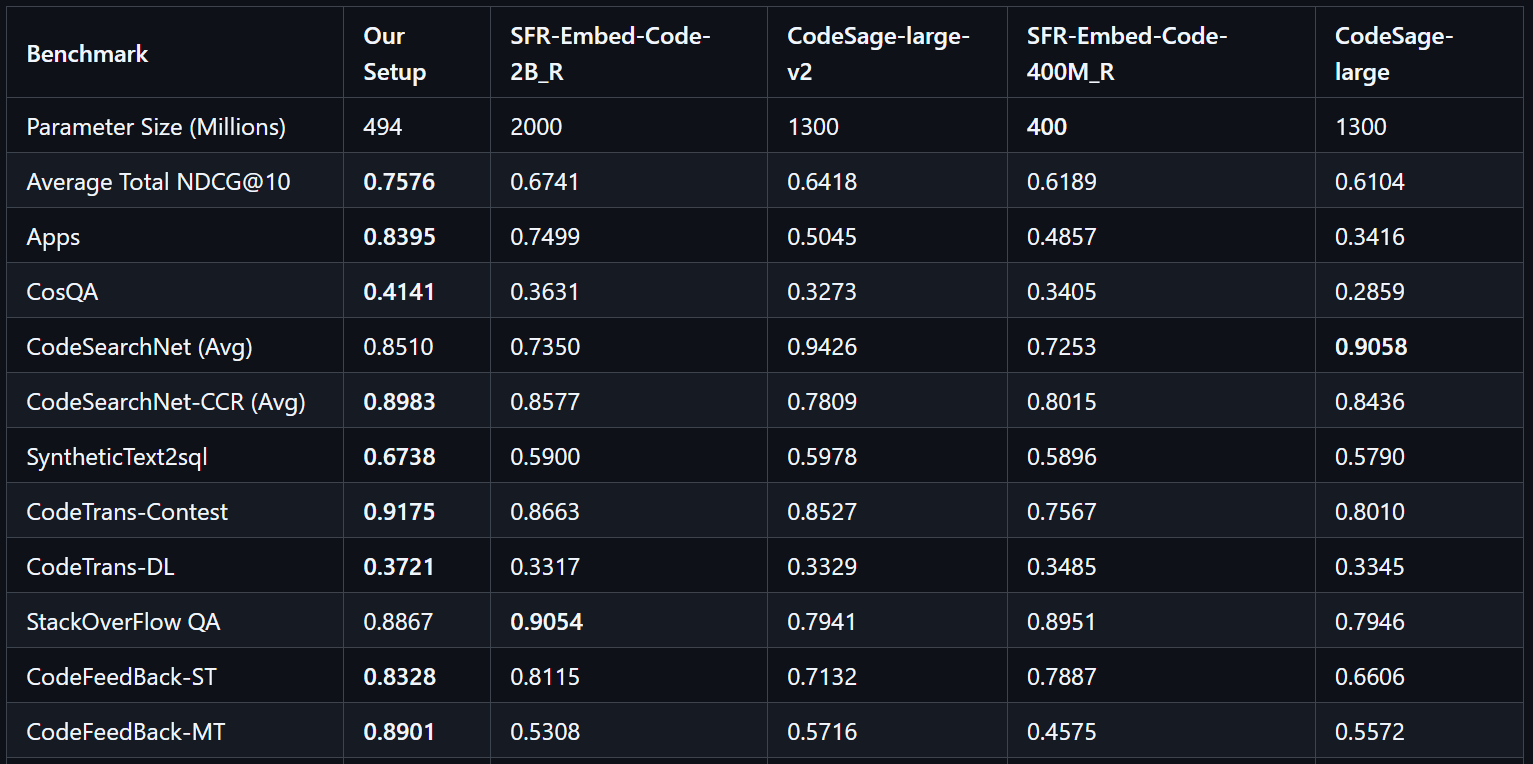
The companion repo contains high-performance local codebase indexing & retrieval for Roo Code. This this is (inference) model-agnostic and API-compatible with any LM-based code assistance tool that relies on Qdrant since that’s the API we are overriding.
This setup enforces a “pseudo-CoT” (Chain of Thought) by applying strict reranking filters. If an initial search lacks high relevance, the system returns narrow or empty results. This compels your AI coding assistant of choice to refine its query, ensuring only high-quality context enters the context window. The result is superior steering and a significantly more productive developer experience.
Requirements
Please see Chapter 1 for compatible hardware - will expand the docker images to cover a more broad set of hardware later on if this series resonates with people.
Unix-like environment
HuggingFace CLI
NVIDIA Blackwell GPU with 6GB+ available VRAM
The consumer versions are RTX 50 series
The workstation version is RTX PRO 6000
AMD Ryzen 9000 series CPU (LTO / other compiler optimizations)
590+ drivers with CUDA 13.1 (check
nvidia-smi)Docker and a logged in huggingface-cli
Getting Started
# Pull down the companion repo
gh repo clone https://github.com/NotYevvie/OnlyLocals

# Navigate to the module for this article
cd OnlyLocals/codebase-indexing

# Download the 1.0GB embedding model
hf download jinaai/jina-code-embeddings-0.5b

# Download the 1.2GB reranker model
hf download jinaai/jina-reranker-v3

# The below setup script is idempotent (safe to run multiple times)
# This checks a lot; fix the messages 1 by 1 and keep re-running it
chmod +x setup.sh
./setup.sh

# Download the embedding container (these are 9-14GB)
# This may take 15-30min+ depending on your connection
docker pull yevai/codebase-index-embed:sm120-cu131-v1

# Download the retrieval container (these are 9-14GB)
# This may take 15-30min+ depending on your connection
docker pull yevai/codebase-index-rerank:sm120-cu131-v1

# Start it up!
docker compose --profile codebase-indexing up
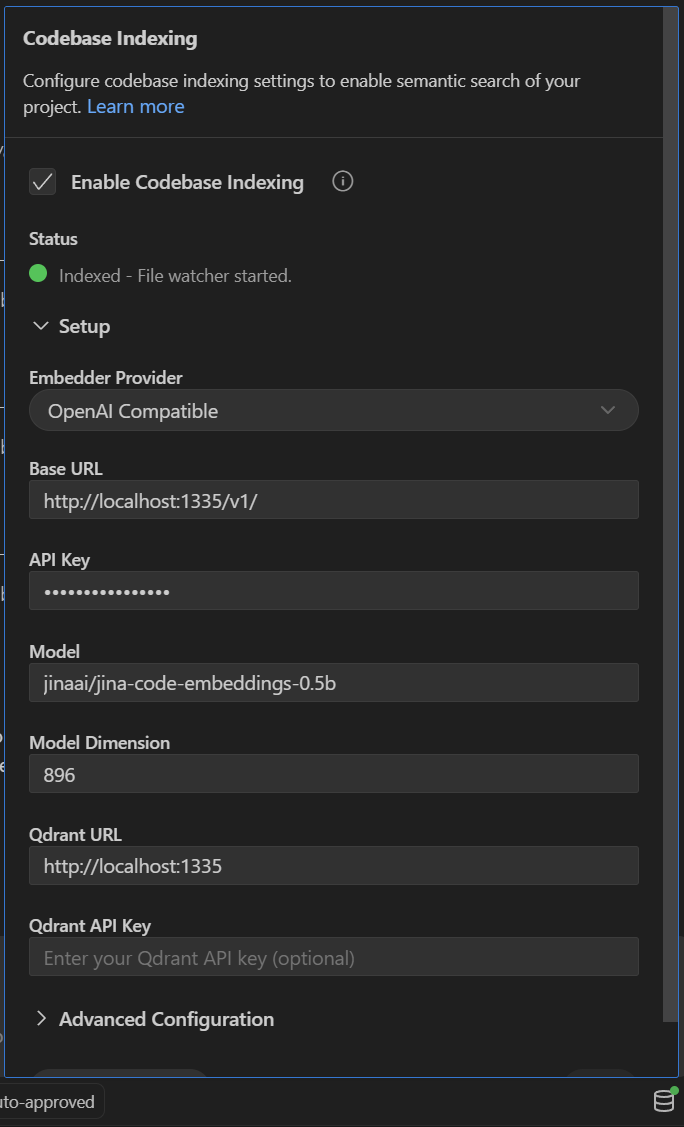
Connecting it to Roo Code and other IDEs that rely on qdrant:
Enable Codebase Indexing
Any string works for API key
Use the below settings
Click “Start Indexing”
When you open Roo Code, click on the database-looking icon in the bottom right:
Try It Out
This setup shines primarily in large, complex code-bases where the dependencies are also checked out as git sub-modules so that their contents are available in retrieval.
Negative Test Use Case
Once indexed, try it out with (in “Ask” mode if using Roo Code): “Search your embeddings about this codebase to find what it knows about CoIRS and if it has any interesting innovations about reranking / RAG”
If ran in this repo, little to no results outside of this mention get returned - this means our re-ranker is filtering properly.
Positive Test Use Case
Next up, try: “Search your embeddings about this codebase and give me the highlights.“
This should result in narrow returns. A few queries later you should see a high-quality overview of what this repo is.
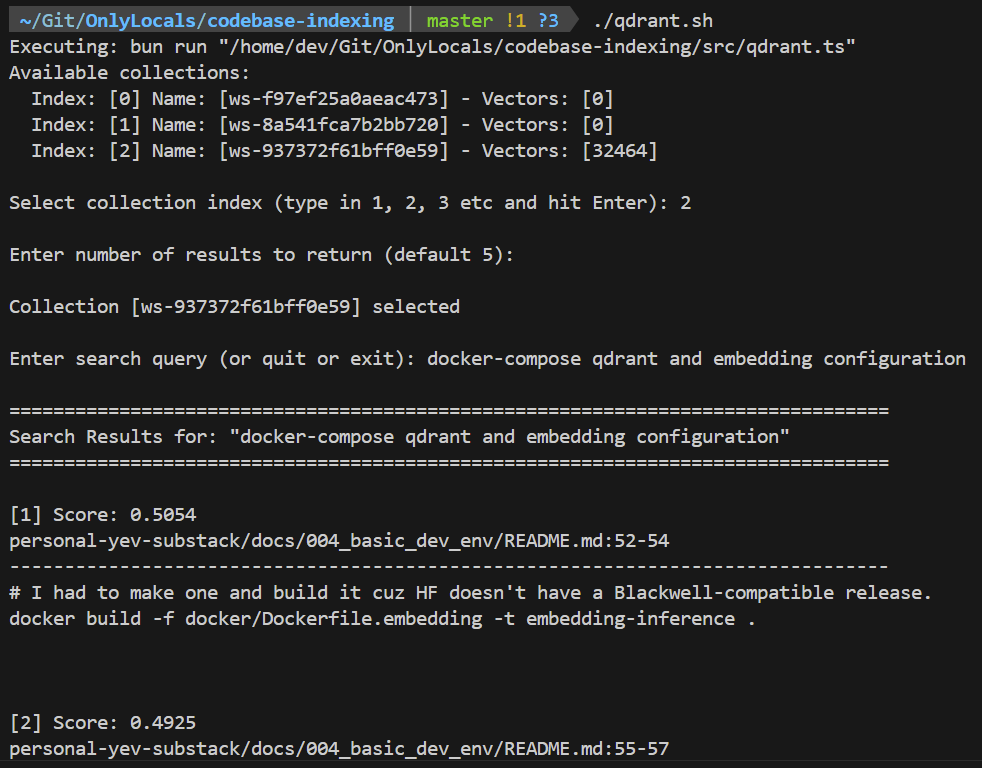
Direct Query Utility
# With the docker compose container running
chmod +x qdrant.sh
./qdrant.sh
This is a simple utility similar to Roo Code’s search that lets you run queries* directly against collections locally viewable here. Disclaimer: this is untested and unpolished.
* This is a semantic search query, not an LM prompt or Google search. Some tips:
Search for behavior, not keywords.
“DB connection” → “How does this application connect to the database?”
Use standard industry terms even if your code or implementation are weird
“makeDataGoBrrt() =” → “Data processing pipeline triggers”
TL;DR: Is it a full sentence? Does it describe an action that the code performs? Good.
Embedding Container
This is a version of HuggingFace’s text-embeddings-inference with CUDA 13.1 support and performance enhancements.
I’ve upgraded the following libraries to support SM120 (blackwell) and CUDA 13.1:
huggingface/candleSource Repository | Upgraded Linkhuggingface/candle-extensionsSource Repository | Upgraded Linkhuggingface/candle-index-select-cuSource Repository | Upgraded Link
Performance-optimized Flash Attention and LTO as well as CPU optimizations.
A sprinkle of extra low-level magic with a focus on single-GPU performance.
Reranker Container
This is a Qdrant retrieval proxy built from NGC PyTorch 25.12-py3 that includes:
Highly customized version of FBGEMM tuned for SM120 performance.
Flash Attention 2 and TorchAO int4 quantization for Blackwell.
TL;DR: Pull top 100, rerank with extreme prejudice, track latest query for context.
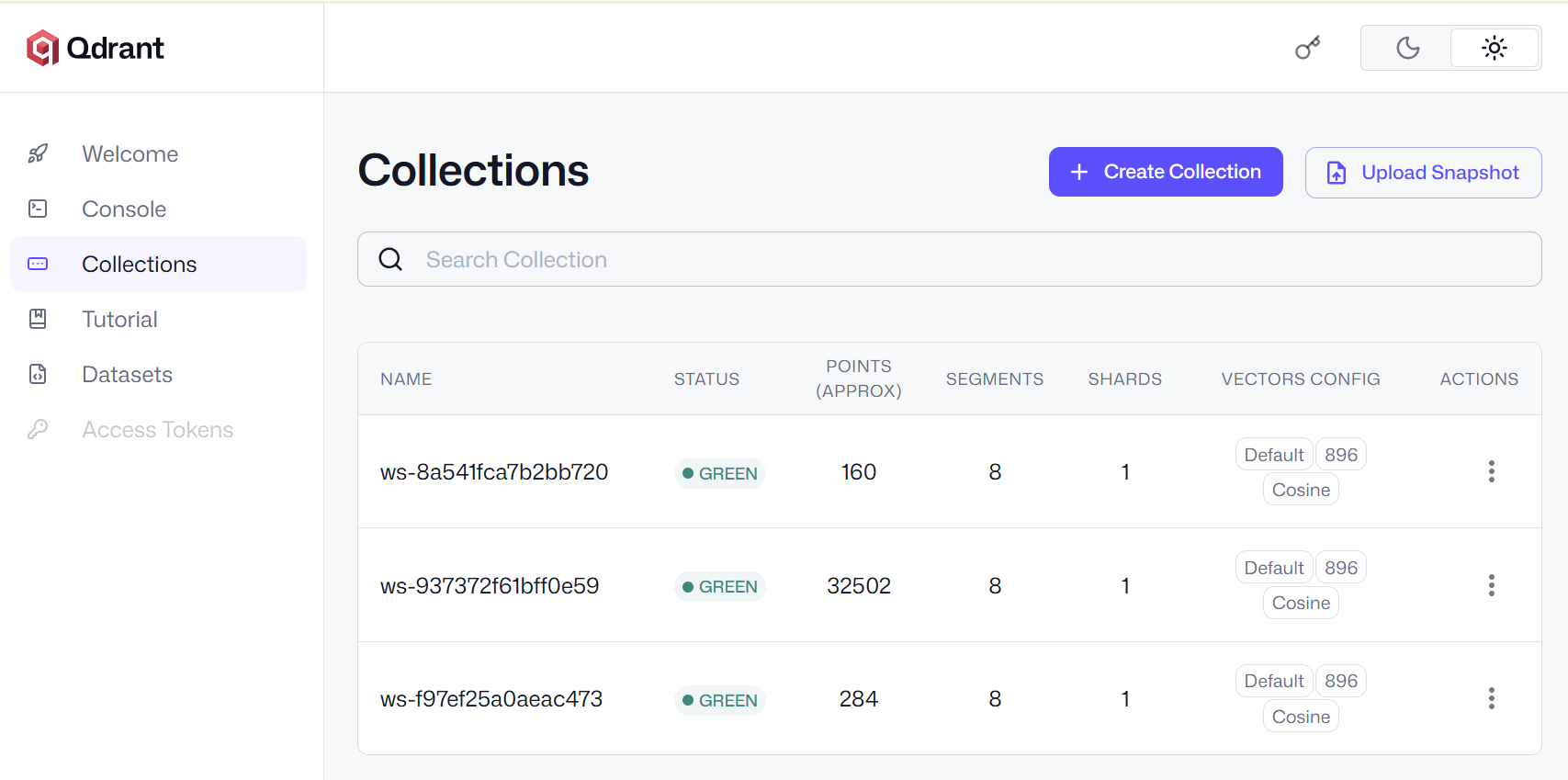
Vector DB Container
Standard Qdrant image. Once up, browse collections: http://localhost:6333/dashboard
Having Trouble?
I put some effort into making the setup script comprehensive and user-friendly but I fully expect this to not work out-of-the-box on all applicable machine types. DM me on LinkedIn if you run into issues!
What’s Next
If this gets any traction, I’ll create containers optimized for:
ABM (Apple baremetal, the M-series chips)
Older NVIDIA GPUs (be warned - bad perf)
And test on / expand compatibility for Cursor, Windsurf, etc
Beyond that, I’d like to slowly distill more of my secret sauce into the public docker image of the re-ranker without my latest startup’s lawyers and technical due diligence team having an aneurysm. This includes stuff like temporal context linkage and some rudimentary linear algebra dark magic for the vectors themselves.