
Smart Home Networking
A primer for beginners

This article is meant for beginners and will cover basic definitions, layers, and how they relate to each other. Networking is not hard, most people suck at explaining it.
We’ll lay the groundwork for setting up an enterprise WiFi network in a residential property. I’m installing Ubiquiti at one of my properties (IoT prep) and will detail the wiring, wall runs, terminations, AP positioning, and Ubiquiti wired / wireless setup.
I always do home automation myself because brands like Crestron, Savant, Control4, Lutron, etc are extremely limited in their options / capabilities and the vast majority of installers for them do not know a single f*cking thing about networking security.
Analogy: The Water Pipe
“Throughput" is how many liters or gallons per minute can flow through a water pipe.
“Latency” is the time delay (not speed) for water to go between two ends of the pipe.
“Reliability” is how much water leaks out of the pipe along the way.
“Robustness” is the water pipe’s ability to maintain pressure and flow rate under stress.
“Congestion” your water main struggling to simultaneously supply a garden hose and 3 showers. For us, this relationship will be one to many, not many to many (switches).
Analogy: Mail and Packages
To make this easier, read the real-world example first:
When you walk into FedEx, you give them an address to send something to. Next, you declare if the package has batteries and if you want it shipped via Overnight Air, Ground, etc. Whether you decide to use UPS instead of FedEx, you still choose if the recipient should know details, like box dimensions, about the package.
Tracking numbers let you know where the packages are delivered, lost, returned, etc. If delivery requires a signature the tracking number shows “delivered” slower, but we know they got it. If it doesn’t, the “delivery” is faster but we don’t know if they got it.
Delivery is optimized: Amazon delivers multiple packages at once under the same tracking number. One of the best ways to deliver something is a briefcase with a PIN code, shipped without requesting signature, that fires a signal when it’s been opened.
You have to leave your suite or floor to send a package. Buildings are grouped by zip code or city. Let’s say each company in a building has its own floor. A floor has desks.
In an office with bad security, what someone with a given name can access would be governed by what desk they sit at. We say “given name” because someone can walk up and tell you whatever name they want, like writing your own nametag. This is why office buildings use Employee ID badges that security guards check with HR to make sure they’re valid.
Now let’s add the networking explanation. If you lose track, refer to the plain real-world example above to reinforce how each concept relates to the others:
When you walk into FedEx, you give them an address to send something to. This is OSI Layer 7 (DNS, HTTP, HTTP/3, etc): the human and software friendly “where”.
Next, you declare if the package has batteries and if you want it shipped via Ground, Overnight Air, etc. The “how” details of delivery are Layer 6. They include encryption (SSL / TLS), compression (GZIP, Brotli), formatting (JSON, Protobuf, gRPC), etc.
If you decided to use UPS instead of FedEx, that’s gRPC: a different Layer 7 framework. UPS and Fedex both let you choose whether the recipient should know details, like the dimensions and contents (metadata), about the package (Protobuf). If you’re shipping to high-volume a warehouse, those details help process it faster. Residential? Meh.
Layer 5 is the state and management of repeated package deliveries. Sessions are like tracking numbers: you know whether the packages are delivered, lost, returned, etc.
Layer 4 is shipping “logistics”. If delivery requires a signature, that’s TCP: the tracking number is sometimes slower to show “delivered”, but we know they got it. UDP is dropping it off at an address: it went there, but we don’t know if a recipient got it.
Amazon delivering multiple packages under the same tracking number is SCTP. A briefcase shipped without “signature requested” (UDP) with a PIN code (SSL / TLS) to open it that sends a signal when it’s been opened (ACK) is QUIC (HTTP/3 uses it).
Note: floors and suites is used interchangeably. Assume each floor only has one suite.
You have to leave your suite or floor (Layer 4, logical ports) to send a package, which is more relevant to “did someone get a package” than the building’s physical location (IP address, Layer 3). Buildings are grouped by city or zip code (Layer 3, subnet mask).
The procedures for shipping between zip codes (BGP) are an advanced concept we’ll skip.
Let’s say that each company (Subnet, Layer 3 IP range) in a building has its own floor (VLAN, Layer 2 broadcast domain). Just like sharing a floor between companies is complex and painful, subnets and VLANs usually have a 1:1 relationship in practice.
A floor has desks (Layer 1, physical port - let’s assume this is RJ45 and not SFP+). In an office with bad security, what someone with a given name (Layer 2, MAC address) can access would be governed by what desk they sit at. This is what the vast majority of home automation installers do: assign specific physical ports to specific VLANs.
We say “given name” because someone can walk up and tell you whatever name they want. Apple devices will do this (rotate their MAC addresses) for privacy by default. That’s like if anyone wrote up name tag saying “John Doe” had his permissions.
This is why office buildings use Employee ID badges (802.1X digital certificates) that security guards (switches) check with HR (RADIUS server) to make sure they’re valid.
Additional Terminology
Many of these definitions are not accurate outside of the context of this article.
“IoT”: Internet of Things (temperature, humidity, occupancy sensors, etc).
See this concise article for “Airwave” and “Frequency” (WiFi, RF, Zigbee, ZWLR)
“Interference” (NOT congestion): noisy neighbor with airwaves and frequencies.
“Smart Home”: a residential property with airwave-based (wireless) IoT devices.
“Wired Connections”: RJ45 or SFP+ form factor Ethernet (LAN) Connections.
Residential RJ45 connections are classified as Cat5e, Cat6, Cat6a, or Cat8.
“Gateway” / “Router”: physical (wired) device interconnecting our LAN and WAN.
“AP” / “Access Point”: a physical airwave broadcaster that connects to a Router with a wired connection. We will not be covering wireless mesh networking.
“PoE”: Power over ethernet. This wired connection also powers a device (AP, etc).
“Backhaul”: Connection between an AP and a Router. For us, that’s PoE RJ45.
“Handover” / “Roaming”: a wireless device changing which AP it’s connected to.
“Band Steering”: a wireless device changing which frequency it uses with an AP.
“Switch”: for us, a managed switch that interconnects devices in the same subnet.
In smart homes, switches are used to inject PoE into RJ45 connections.
PoE RJ45 connections out of this can also go over Coaxial Cable with MoCA.
“OSI”: Open Systems Interconnection. This is an open standard for how devices communicate with each other. It can be implemented in many different ways.
Pics or It Didn’t Happen
RG59/RG6 Cable, RF, Material, Zigbee, Z-Wave, ZWLR, and IoT hardware isn’t here yet :(
Networking Hardware
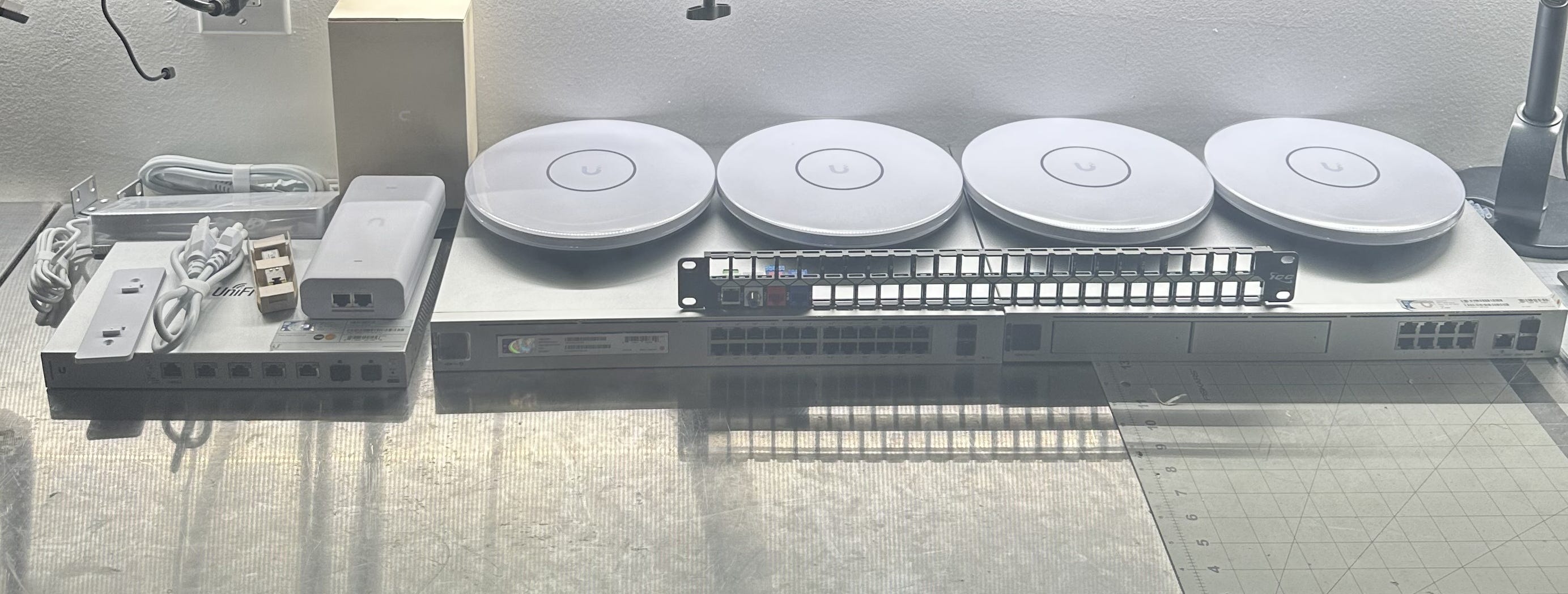
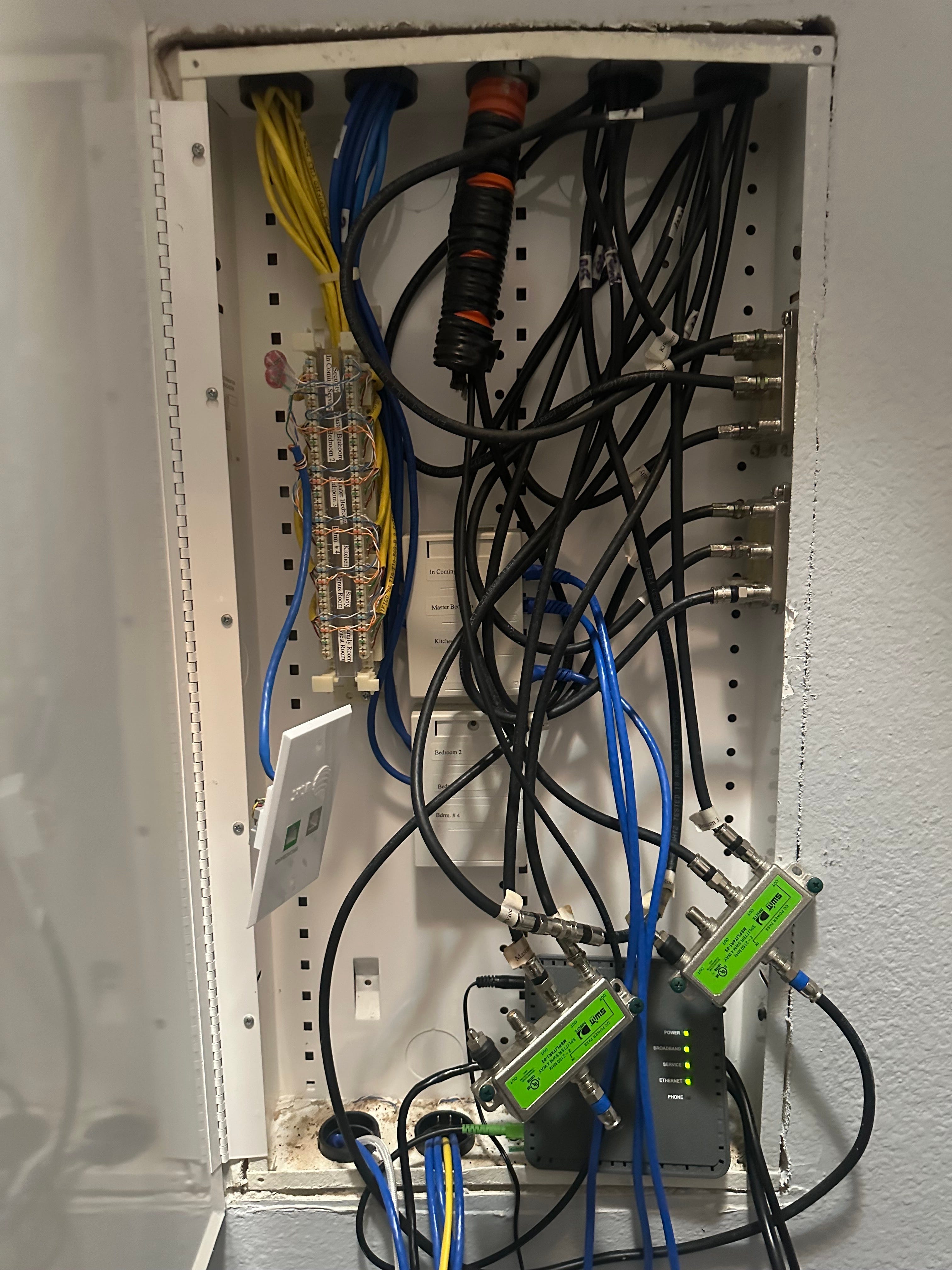
Media Box We’ll Be Replacing
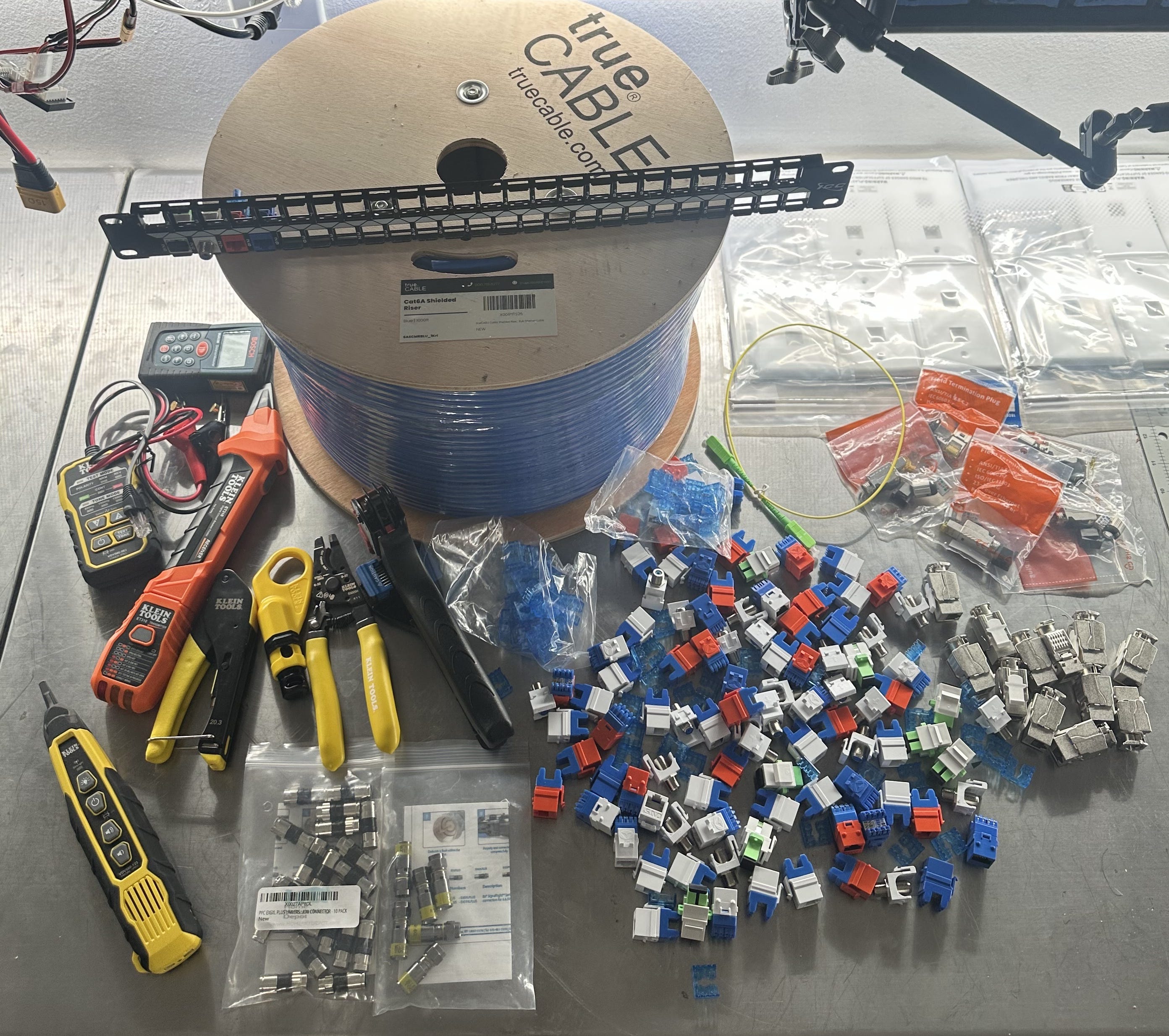
Tools, Terminations, and Wiring
The downstream articles will be relevant to you if you are curious, easily amused, or:
Care about WiFi throughput, latency, reliability, and robustness.
Have a large (4000sqft+) property and neighbors with WiFi.
Have multiple floors, the flooring is wood, LVP, or carpet.
The walls are drywall, rock-wool filled or otherwise (not brick).
The property is pre-wired with a Media Panel with a 120V outlet.
I wrote two previous (not so beginner) networking articles for cloud: Part 1 and Part 2.